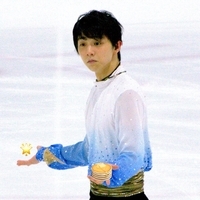
October 4, 20179 yr Author 3 hours ago, ralucutzagy said: I can't help grinning so much whenever I see this! awwww
October 4, 20179 yr Author I was revisiting the NHK Special Exhibition performance so this happened T~T AND IT WAS RIGHT ON THE MUSIC!
October 10, 20179 yr 5 minutes ago, OonsieHui said: HOLY SHIT I wonder whether he can still do this Put it on a banner and we'll soon find out!
October 11, 20179 yr 13 minutes ago, SparkleSalad said: Put it on a banner and we'll soon find out! Someone please put it on a banner! I want to see this. Maybe in his ex?
October 11, 20179 yr 2 hours ago, SparkleSalad said: Put it on a banner and we'll soon find out! 2 hours ago, Sammie said: Someone please put it on a banner! I want to see this. Maybe in his ex? I can see the next special ex by Yuzuru- Yuzuru: total request live. Submit your requests by banner.
October 11, 20179 yr 4 hours ago, OonsieHui said: HOLY SHIT I wonder whether he can still do this HE CAN...LOOK AT THE HIGH KICK IN LGC!!! 3 hours ago, SparkleSalad said: Put it on a banner and we'll soon find out! good idea
Create an account or sign in to comment