Skip to content
View in the app

A better way to browse. Learn more.

Planet Hanyu

A full-screen app on your home screen with push notifications, badges and more.

To install this app on iOS and iPadOS
  1. Tap the Share icon in Safari
  2. Scroll the menu and tap Add to Home Screen.
  3. Tap Add in the top-right corner.
To install this app on Android
  1. Tap the 3-dot menu (⋮) in the top-right corner of the browser.
  2. Tap Add to Home screen or Install app.
  3. Confirm by tapping Install.

[2017] Fantasy on Ice (FaOI) in NIIGATA 2017
Featured Replies

9 minutes ago, Hydroblade said:

feed us the nyan

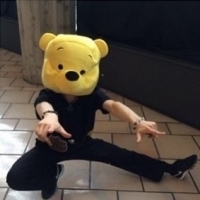
For every frame of nyan released, a sweet, innocent Pooh finds his honey pot

1 minute ago, MrPudding said:

at the beginning you can slightly see that he was pulling his shirt up!

So already we have shirt pulling - albeit bad angle and tiny - kitty ears and cartwheel... today is a good day so far :snpeace:

5 minutes ago, MrPudding said:

at the beginning you can slightly see that he was pulling his shirt up!

5QTBGW8.png

14 minutes ago, KatjaThera said:

OMG he's wearing kitty ears!!!

Footage footage :kitty:and also hero's tonight right? Today will be a great day!

finally someone providing some neko!yuzu footage unlike some people ...*ahem*kobe

1 minute ago, ralucutzagy said:

Finally we get a view with him wearing that cat eras!!!! :party:


our boi zuzu is finally listening to our prayers and quenching us of this thrist for cat yuzu:kitty:

Guest
This topic is now closed to further replies.

Account

Navigation

Search

Search

Configure browser push notifications

Chrome (Android)
  1. Tap the lock icon next to the address bar.
  2. Tap Permissions → Notifications.
  3. Adjust your preference.
Chrome (Desktop)
  1. Click the padlock icon in the address bar.
  2. Select Site settings.
  3. Find Notifications and adjust your preference.