
Skip to content
View in the app

A better way to browse. Learn more.

Planet Hanyu

A full-screen app on your home screen with push notifications, badges and more.

To install this app on iOS and iPadOS
  1. Tap the Share icon in Safari
  2. Scroll the menu and tap Add to Home Screen.
  3. Tap Add in the top-right corner.
To install this app on Android
  1. Tap the 3-dot menu (⋮) in the top-right corner of the browser.
  2. Tap Add to Home screen or Install app.
  3. Confirm by tapping Install.

Veveco

Members
  • Joined

  • Last visited

Everything posted by Veveco

  1. We all knew this was coming, but.... JAVI!!! I hope he slays at Europeans to finish with a bam
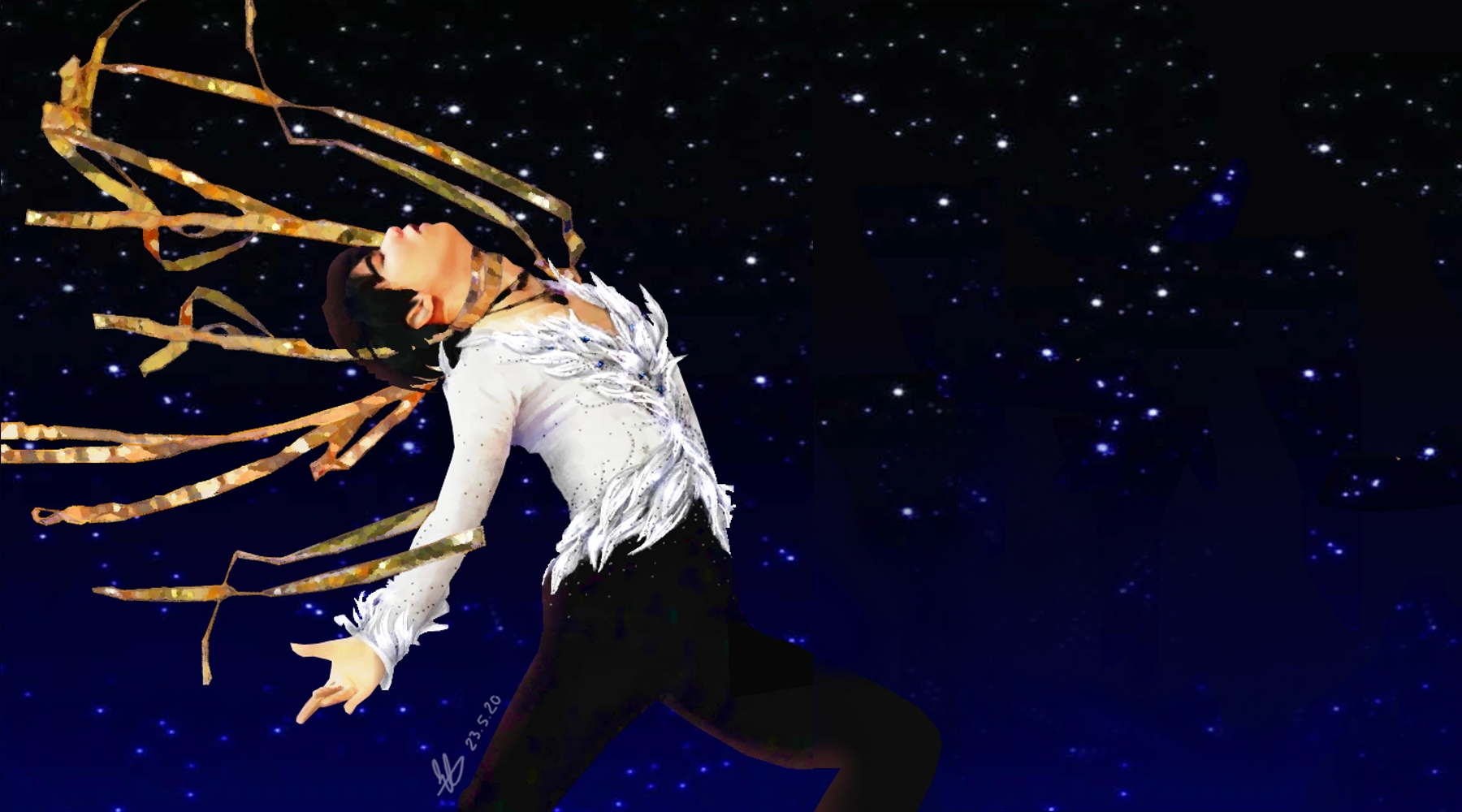
  2. As part of my "injury-coping-mechanisms/get-well-soon-Yuzu-wish", I finally finished a fanart I had started... just after the OG
  3. It is very nicely said. It is great to see that Yuzu's programs are appreciated by his idols I kinda want to send that to the French commentator so he can understand what the program is about, but it would probably be a moot point
  4. I thought the first comment was OK tbh because he obviously thought that Yuzu was being sneaky about it, but then when she answered that it was probably an open tribute to Weir and he said "well I expect a skater of his age to come up with his own ideas" I had to laugh. Like Yuzuru doesn't have his own distinct costume/aesthetics style already and is merely copying others It's OK to just admit you didn't do your homework before the competition rather than spouting nonsense


Account

Navigation

Search

Search

Configure browser push notifications

Chrome (Android)
  1. Tap the lock icon next to the address bar.
  2. Tap Permissions → Notifications.
  3. Adjust your preference.
Chrome (Desktop)
  1. Click the padlock icon in the address bar.
  2. Select Site settings.
  3. Find Notifications and adjust your preference.