Skip to content
View in the app

A better way to browse. Learn more.

Planet Hanyu

A full-screen app on your home screen with push notifications, badges and more.

To install this app on iOS and iPadOS
  1. Tap the Share icon in Safari
  2. Scroll the menu and tap Add to Home Screen.
  3. Tap Add in the top-right corner.
To install this app on Android
  1. Tap the 3-dot menu (⋮) in the top-right corner of the browser.
  2. Tap Add to Home screen or Install app.
  3. Confirm by tapping Install.

[POLL] Vote for your favourite birthday-themed icon!
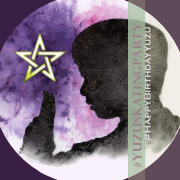
[POLL] Vote for your favourite birthday-themed icon! 89 members have voted

  1. 1. Vote for the icon design that you like the most! (pics below!)

    • Design 1
      9%
      8
    • Design 2
      5%
      5
    • Design 3
      17%
      15
    • Design 4
      12%
      11
    • Design 5
      1%
      1
    • Design 6
      1%
      1
    • Design 7
      4%
      4
    • Design 8
      1%
      1
    • Design 9
      2%
      2
    • Design 10
      4%
      4
    • Design 11
      4%
      4
    • Design 12
      3%
      3
    • Design 13
      1%
      1
    • Design 14
      3%
      3
    • Design 15
      9%
      8
    • Design 16
      1%
      1
    • Design 17
      0%
      0
    • Design 18
      8%
      7
    • Design 19
      9%
      8

Please sign in or register to vote in this poll.

Featured Replies

Check out our birthday icon design submissions and vote for your favourite! Feel free to change your icon or add a badge/twibbon to it (Designs 4 & 7) in preperation for our celebration of Yuzu's birthday!


Reminder to our dear satelites that by VOTING for your favourite icon you are helping your favourite designer win the contest prize! <3 


Design 1:

52cq740.pngXlnz8qL.jpeg


Design 2:

cyBU5EX.png 

Design 3:

P1UCwh5.png 1PwTcW6.png


Design 4:

enq3mcV.pngZRWo7b2.png  

(Twibbon/Badge version):

lHKbjMh.pnggrl2fHU.png

link to add it as Twibbon on Twitter: https://twibbon.com/Support/yuzuskatingparty-4


Design 5:

z6bgcQi.png

Design 6:

4vfVMa1.png


Design 7 (Badge/Twibbon only):

NEKJx1m.png 9AiFzx0.png 


link to add it as Twibbon on Twitter: https://twibbon.com/Support/yuzuskatingparty-5


Design 8:

q0yIsdQ.png


Design 9:

JimvUUk.png

Design 10:

WwQGIWc.jpeg


Design 11:

JXT5CHa.png 


Design 12:

CIMJL0L.png 


Design 13:

DcR6sKO.png


Design 14:

HEXPkm7.png


Design 15:

klTITKE.png


Design 16:

uC7S1Vy.pngltScCaF.png 


Design 17:

OCbp46H.png6A76bWY.png


Design 18:

jOJ71nG.pnggC5NWDr.pnghdnq6hr.png


Design 19:

a9r3Lbr.pngNKWmOl9.png


Thank you to all the designers who participated in our contest for their beautiful submissions!


Reminder to our dear satelites that by VOTING for your favourite icon you are helping your favourite designer win the contest prize! <3 

That's not fair! How I am supposed to choose only one?! :dpooh:

me, looking at all the lovely designs :10636614:

me, realizing I must pick only one :tumblr_inline_mn41rkfu9v1qz4rgp:

me, thinking waiting a few days will make the choice easier:drama:

me, surrendering at last and letting a random draw do the choice for me:embSwan:

me, kuyashii already one millisec after submitting the vote, because why only allowed to vote one?:smiley-sad021:


thank you to all the designers :10742289:

Create an account or sign in to comment

Account

Navigation

Search

Search

Configure browser push notifications

Chrome (Android)
  1. Tap the lock icon next to the address bar.
  2. Tap Permissions → Notifications.
  3. Adjust your preference.
Chrome (Desktop)
  1. Click the padlock icon in the address bar.
  2. Select Site settings.
  3. Find Notifications and adjust your preference.