yuzuonice
Members
-
Joined
-
Last visited
Everything posted by yuzuonice
-
 Translation by @Umebachi, subtitles by @LadyLou
 -
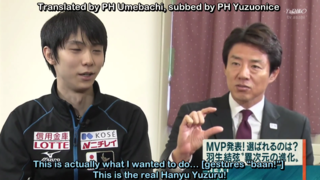 Translation by @Umebachi, subtitles by @yuzuonice
 -
 the original YT channel was suspended, this is a copy.
 -
-
-
-

-
 Interviews with Brian and Yuzuru at TCC, shown on Finnish TV YLE. Update: Yuzuru's video was deleted off Youtube, if anyone has a copy, please DM me.
 -
-
#YuzuSkatingParty starting in 15 minutes!
-
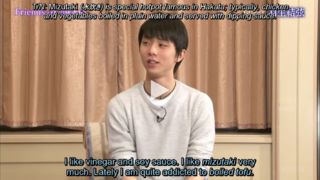 Translation by PH Kit, Amy, Fukuhana, Joy, Wylie, and PH FlyingCamel. Subtitles by @LadyLou @Yuzu_legend and @yuzuonice
 -
-
link for fuji tv stream for those without sakura! https://aqstream.com/jp/fuji/Fuji-TV
-
is this news @robin ??? This post has been tagged by yuzuangel as [NEWS].
-
-
Perhaps we can quote tweet with something like this? Maybe add a pooh rain pic as well to it... But I'd also add a warning in reply to not hijack the fuji tv hashtag completely and instead only use it during and after yuzu's performance, then we'd replace #スケーターとつながろう with #YuzuruNationals2020 ? That way we don't spam it too much... Example:
-
thanks for telling. Idk what you guys had in mind but I think #YuzuruNationals2020 was suggested as a general hashtag for everything else going on at JNats, while #PoohRain4Yuzu is the hashtag we'd be tweeting immediately after both Yuzu performances, possibly in combination with #スケーターとつながろう ? The other hashtags suggested are all just variations of the same two hashtags. Or we can drop the general National hashtag and only go with #PoohRain4Yuzu? what do you think admins? @robin @yuzuangel
-
hello everyone! It seems that Fuji TV is planning to do a project for this... which ties in great with our plan to show support for Yuzu! Please check this thread for more info! This post has been tagged by yuzuangel as [NEWS].
-
morning! reading through, I see that most people like #PoohRain4Yuzu... coincidentially, I also found this message (this is a google translate from weibo). So, it seems that Fuji TV is preparing a project like this... At first I was against giving them engagement on social media... On the other hand, they're giving us a platform to show our love and support directly like this - so perhaps using their hashtag combined with #PoohRain4Yuzu would be better? EDIT! here's a translated tweet and the hashtag! please let me know in replies!
-
-
-
Hello dear satellites! During our recent #YuzuSkatingParty an interesting idea came up: Since Pooh rain is impossible in these days, we thought of using a twitter hashtag where we could thank Yuzuru for his performance instead of the usual Pooh rain. Perhaps we could add images of Pooh bears etc. Maybe we'll already get a chance to use it next weekend during Japanese Nationals! Some hashtags that were suggested were: #YuzuPoohRain #PoohRain4Yuzu #PoohRainForYuzu and some JNats specific hashtag: #YuzuJNats2020 #YuzuruJNats2020 #YuzuruNationals2020 Please discuss here, what is the best option, and if there are some additional ideas! We can also add a poll later on! Of course, there are still many unknown circumstances right now, but hopefully we can send a message of encouragement to Yuzu!
-
-
-