Skip to content
View in the app

A better way to browse. Learn more.

Planet Hanyu

A full-screen app on your home screen with push notifications, badges and more.

To install this app on iOS and iPadOS
  1. Tap the Share icon in Safari
  2. Scroll the menu and tap Add to Home Screen.
  3. Tap Add in the top-right corner.
To install this app on Android
  1. Tap the 3-dot menu (⋮) in the top-right corner of the browser.
  2. Tap Add to Home screen or Install app.
  3. Confirm by tapping Install.

desenlazar

Members
  • Joined

  1. desenlazar changed their profile photo
  2. Thank u so much Anni, Perelandra and Yuzuwinnie 💞 you’re all so kind, my heart feels warm 🥹
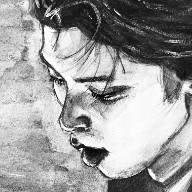
  3. Hi planethanyu, here I leave two works I did experimenting with graphite aquarelle 💞 have a nice day!!
  4. ahh thank u very much 🥰 also i want to thank you for sharing beautiful fanart here that i wouldn’t find otherwise, it’s super fun to enter this thread and see all the fanyu creations
  5. hi again! here’s a sketch i did the other day using raison yuzu as a reference 💜
  6. you are too kind, thank you 🥹💕 there’s so many gorgeous photos from those programs to chose from!
  7. aaa thank you so much ☺️💕 i’m a bit slow because i don’t have much free time to paint, but hopefully i will continue sharing art in the future 🫶
  8. hi, i finally finished my yuzu hope&legacy portrait 💫 i’m already thinking of doing a haru yo koi piece using magentas and pinks or maybe a notte stellata portrait? anyway, here it is if you want to take a look ☺️
  9. thank u for your kind words Perelandra, it truly means a lot to me 🥺 i will come back and post again when more art is ready 💕🫶💫
  10. hi, i’m a little shy about my fanart as it’s not super good, but i wanted to share with the forum. i don’t have much time to do art but i love drawing/painting yuzu so much, he’s so inspiring this last painting is a work in progress, i still have to finish it. im @ albidreart in insta and i post progress shots sometimes. https://www.instagram.com/p/CnkUCZaIyVO/?igshid=YmMyMTA2M2Y= and i cannot get this to embed properly but there’s another drawing on my insta. and that’s all (for now at least) 💕

Account

Navigation

Search

Search

Configure browser push notifications

Chrome (Android)
  1. Tap the lock icon next to the address bar.
  2. Tap Permissions → Notifications.
  3. Adjust your preference.
Chrome (Desktop)
  1. Click the padlock icon in the address bar.
  2. Select Site settings.
  3. Find Notifications and adjust your preference.